Advances in IoT wireless remote sensing technology and the global adoption of narrowband LTE 4G and 5G cellular communication create opportunities to obtain valuable data from the field in a cost effective and user-friendly capacity. When affordable monitoring nodes are integrated throughout the distribution network, including previously unmonitored blind spots and points not requiring control, utilities can reduce their risk profile, making distribution systems safer. EneticsEDGE is the portal to your instruments in the field.
Enetics has introduced a complete family of IoT based self-powered remote monitoring instruments targeting the natural gas distribution network. These instruments monitor all relevant gas parameters for trends and alarms, in all weather conditions, do not require power or radio networks, and are internet accessible from anywhere in the world. The User Interface software for these instruments is called EneticsEDGE.
The EneticsEDGE User Interface software is included in the two and three year data hosting packages offered by Enetics. Data is securely maintained using Microsoft Azure cloud servers. Cellular telemetry (LTE Cat M1) is also included in the package and because the Enetics RTUs are shipped with active SIM cards, the user does not have to deal with carriers at all. Enetics SIM cards are multi carrier, and always determine the strongest cellular signal available regardless of carrier.
The EneticsEDGE User Interface is designed to provide simple yet secure access to field data from anywhere in the world using a visual analytic dashboard approach. The software provides GIS site mapping, remote site status including active alarm status, programmed configurations, cellular call-in scheduling, sensor sampling rates, site names and locations, battery status, group configurations, detailed reports, graphic and tabular data views, file and image exports, and administrative control of personnel access levels. The following is a brief overview of the EneticsEDGE User Interface software.
The EneticsEDGE User Interface provides multiple users access to recorded field data or to receive direct notifications from the field for circumstances such as alarm conditions, low batteries, late-call-ins, etc. However, when first configuring the User Interface, the individual designated as the System Administrator (SA) will need to add all designated users to the system (Enetics strongly recommends only one person be designated as the SA, although the option exists for more than one). There are three levels of hierarchy in EneticsEDGE:
System Administrator (SA): Total system access including global security settings, adding or removing Users and Managers, and access to audit logs.
Managers: detailed system configuration capability, including sampling rates, cellular call in schedules, alarm threshold settings and personnel responsibilities, and site grouping.
Users: Site viewing capabilities and alarm notifications as assigned by the Manager.
Once personnel have been assigned to the system by the SA, they can access the initial log-in screen which requires a user name and password. The strength of the required password is set by the SA, and two factor authentication may also be required. If two factor authentication has been enabled by the System Administrator, this action will occur from this screen. Forgotten passwords can be reset from this screen as well.
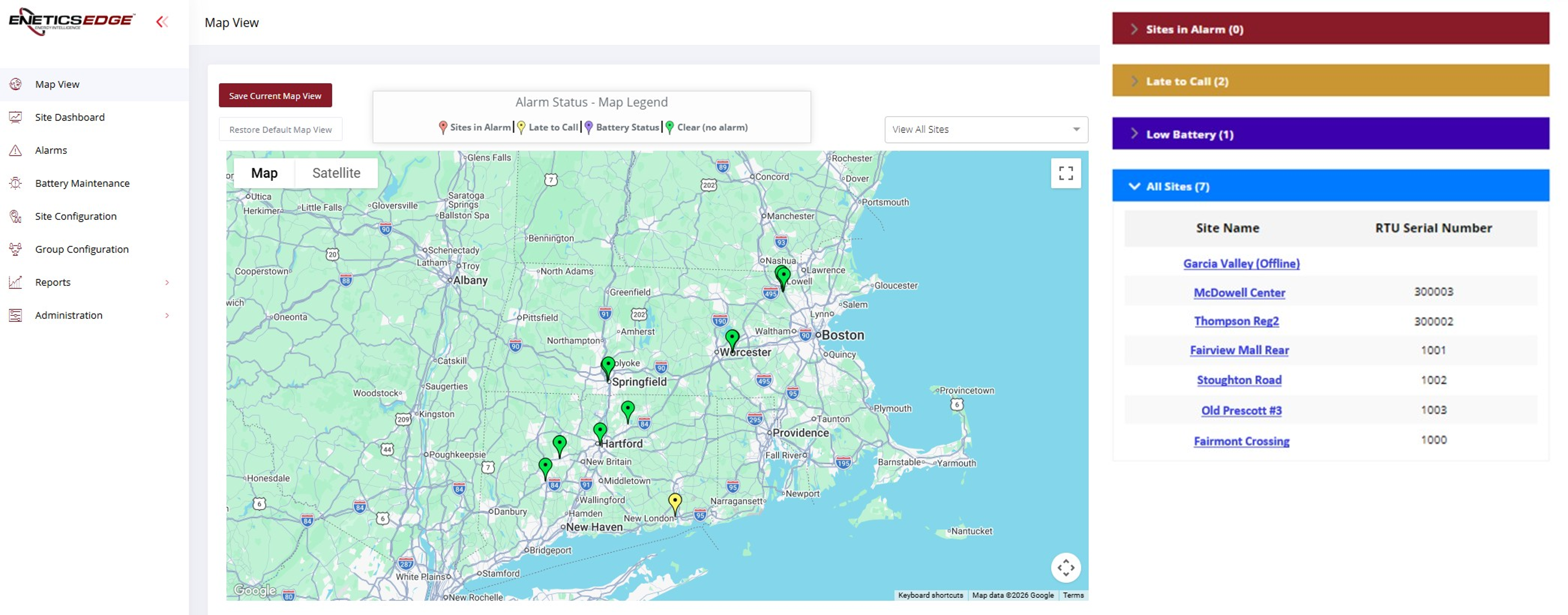
The opening screen is the GIS Map View. This page can be shown in map or satellite view, and can be tailored in size and location to always open showing your territory of operation if desired. A site dashboard page is available, detailing all operating sites including site names and locations, alarm status with color severity coding, RTU serial numbers, the time of the last cellular call, battery status and many other items of interest for each site.
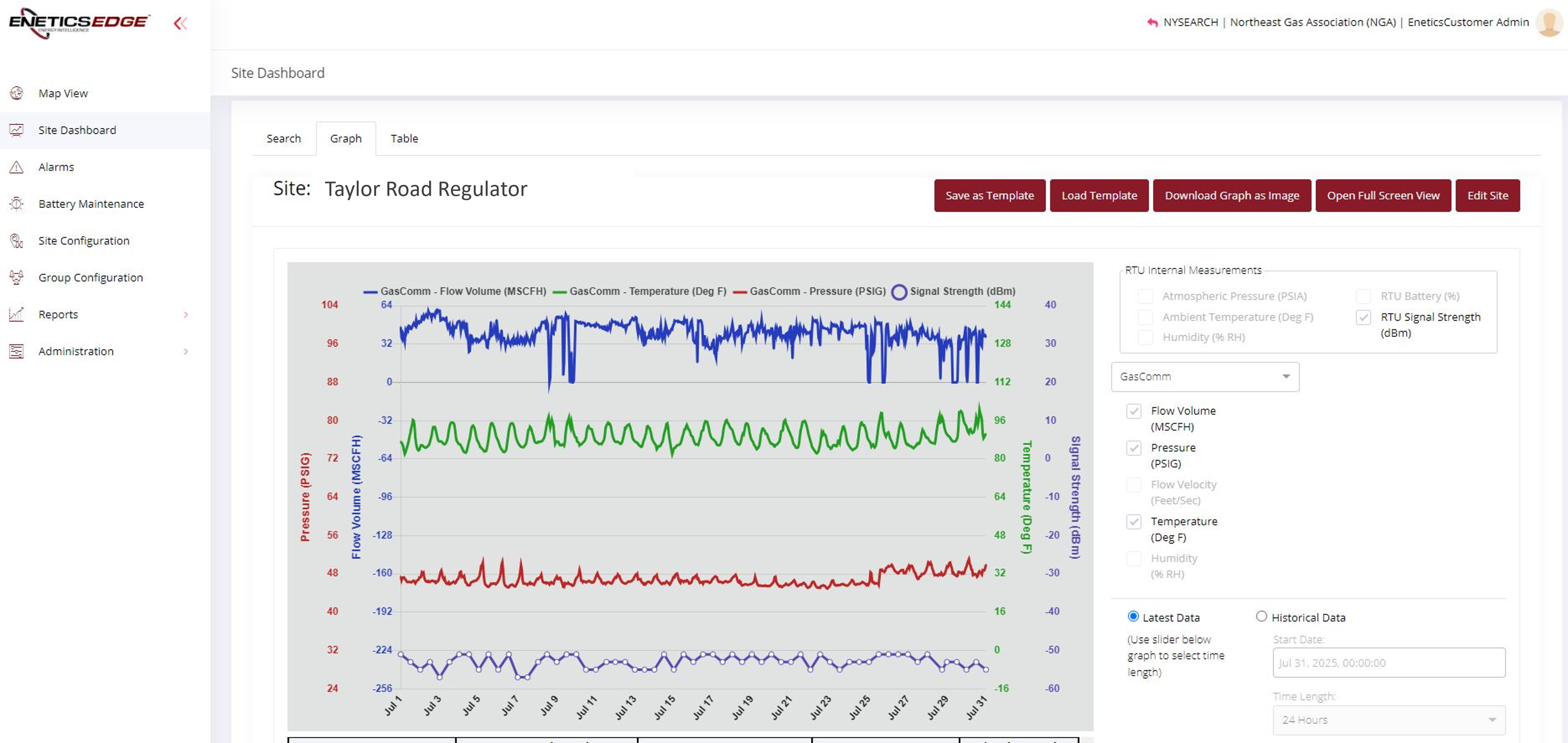
Data can be viewed graphically or in a tabular fashion. Graphic displays provide ease of selecting different measurements (pressure, temp, etc), selectable time windows, data compression/averaging (NOTE: all recorded data is stored in the cloud as raw data, which is the highest resolution data available). The complete EneticsEDGE User Manual can be obtained by contacting Enetics Sales.